Guide
Virtual apartment walkthrough: what it costs and how to get one
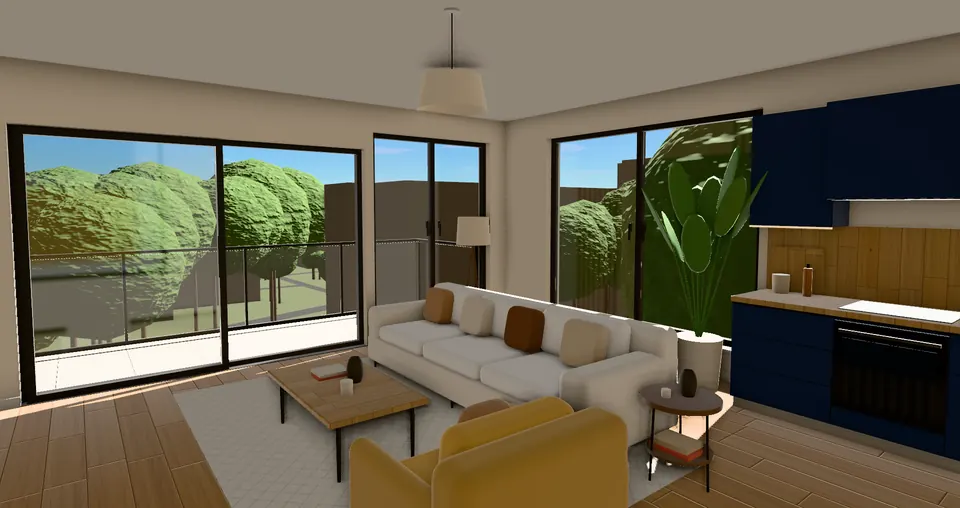
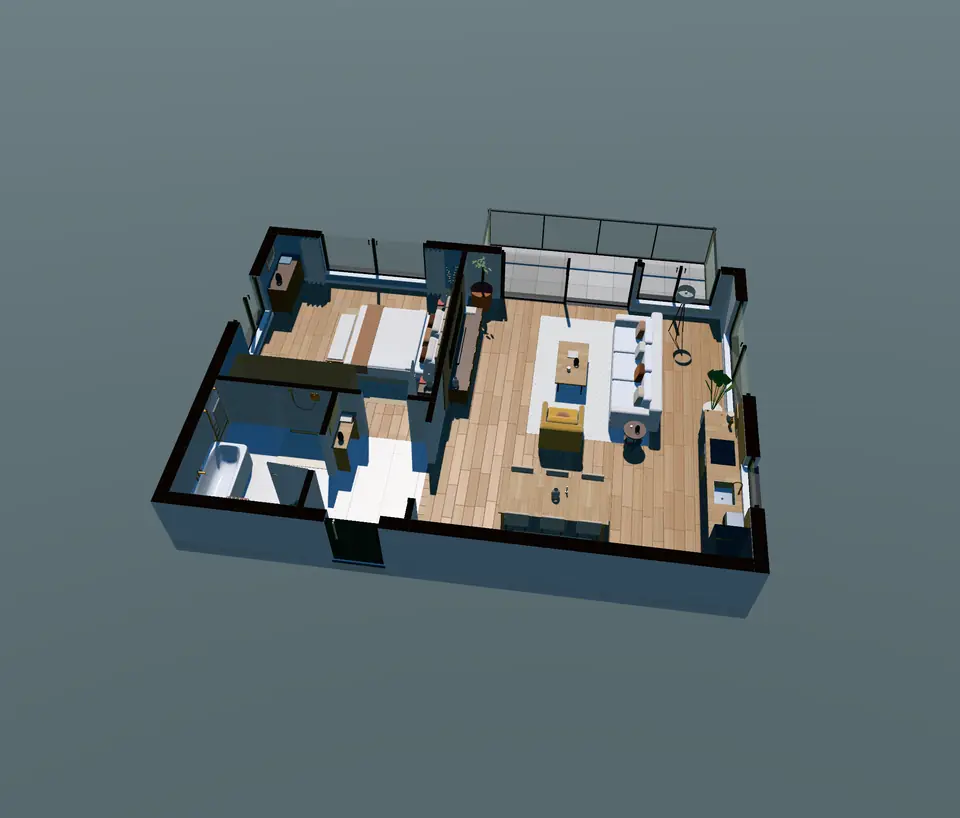
A virtual apartment walkthrough can be made in two ways: from 360° photos taken in a finished apartment, or as a 3D model from a floor plan when the apartment is still being built. A walkthrough from photos is priced by the photographer. A walkthrough from a floor plan in Future Home Walk costs US$19–US$49, depending on the floor area, and plan reading and the quote are free.
Last updated:
From a floor plan or from 360° photos?
A walkthrough from a floor plan lets you see the apartment before it's built. A walkthrough from photos shows it as it is today.
| From the plan (3D model) | From 360° photos | |
|---|---|---|
| When | The apartment is under construction, or you want to see it furnished your way | The apartment already exists and is furnished |
| What you need | An apartment floor plan (PDF, JPG or PNG) and the building's address | A visit from a photographer with a spherical camera |
| What you see | Layout, proportions and light. Furniture and finishes are examples | The apartment exactly as it is on the day of the photos |
| Furniture and finishes | Changeable live: 14 ready-made styles, furniture you can move around | As in the photos |
| Sun | At any hour, on the 21st of each month, with shadows from neighbouring buildings | As it was when the photos were taken |
| Price | US$19–US$49, one-off | Photographer's quote |
What a walkthrough from a floor plan costs
The price depends on the area of the rooms and is one-off, with no subscription. Floor plan reading, floor area and price are free, so you know the amount before you buy. For agents and property developers there are packages with no limit on floor area.
| Area | Price (one-off) |
|---|---|
| up to 60 m² (650 sq ft) | US$19 |
| 60–100 m² (650–1,080 sq ft) | US$29 |
| 100–180 m² (1,080–1,940 sq ft) | US$39 |
| over 180 m² (1,940 sq ft) | US$49 |
How to make a walkthrough from a floor plan, step by step
- Upload your apartment's floor plan on the start page, without creating an account. It can be a sheet showing the whole floor, as long as you tell us which apartment is yours.
- Give the floor and the number of floors in the building. The sun and the view from the windows depend on them.
- Drop a pin on the building on the map.
- The plan reading is free and usually takes a few minutes. You'll see the floor area, the price and a free 3D preview from one viewpoint.
- You only create an account when you place your order, and the link to your walkthrough is usually ready a few minutes after payment. You can share it with family or embed it on your own website.
When a walkthrough from a floor plan comes in handy
- You're buying a new apartment off the plan and have only the floor plan from the property developer.
- You're comparing several apartments and want to see which rooms get sun, and when.
- You're planning the furniture layout and finishes before handover.
- You're selling an apartment under construction and want to show it in your listing: for real estate agents, for property developers.
A walkthrough from a floor plan doesn't show the technical condition of the apartment. The surroundings are building shapes and trees from public data, not photos.
Frequently asked questions
How much does a virtual apartment walkthrough cost?
A walkthrough from 360° photos is priced by the photographer. A 3D walkthrough from a floor plan in Future Home Walk costs US$19–US$49, one-off, depending on the area. Floor plan reading and the quote are free.
Do I need photos of the apartment?
No. For a walkthrough from a floor plan, all you need is the apartment floor plan as a PDF, JPG or PNG and the building's address.
Does the walkthrough work on a phone?
Yes. It opens in the browser on a phone and a computer, with no app to install.
Can I show the walkthrough in a listing?
Yes. The walkthrough has a share link you can paste into your listing, and a code to embed it on your own website.
How long do I wait for the walkthrough?
Reading the floor plan is free and usually takes a few minutes, and the link to your walkthrough is usually ready a few minutes after payment. It appears on your project page and arrives by e-mail.
Do I have to create an account?
Not to get started. You upload your floor plan on the start page without creating an account, and the plan reading, floor area and price are free. You only create an account when you order: the link to your walkthrough and your receipt are sent to the address you give.